Keep work moving
Give each task an owner, a due date and a clear status. Keep updates and supporting files together.
Manage your work, products, suppliers and business records in one place. Here is what that means in everyday terms.
Give each task an owner, a due date and a clear status. Keep updates and supporting files together.
Store parts, drawings and product changes. Review a change before approving the next version.
Record a quality or safety concern, assign the follow-up and keep the review history.
Keep supplier documents, purchase orders and delivery records together. Review missing or conflicting information.
Compare invoices with orders and receipts. Track approvals and accounting records; external payments need a separate service.
Write step-by-step instructions, track training and bring supported Excel trackers into a shared workspace.
These screenshots show what happens after example records are added to NIV. Choose a screen to see what your team would read and update.
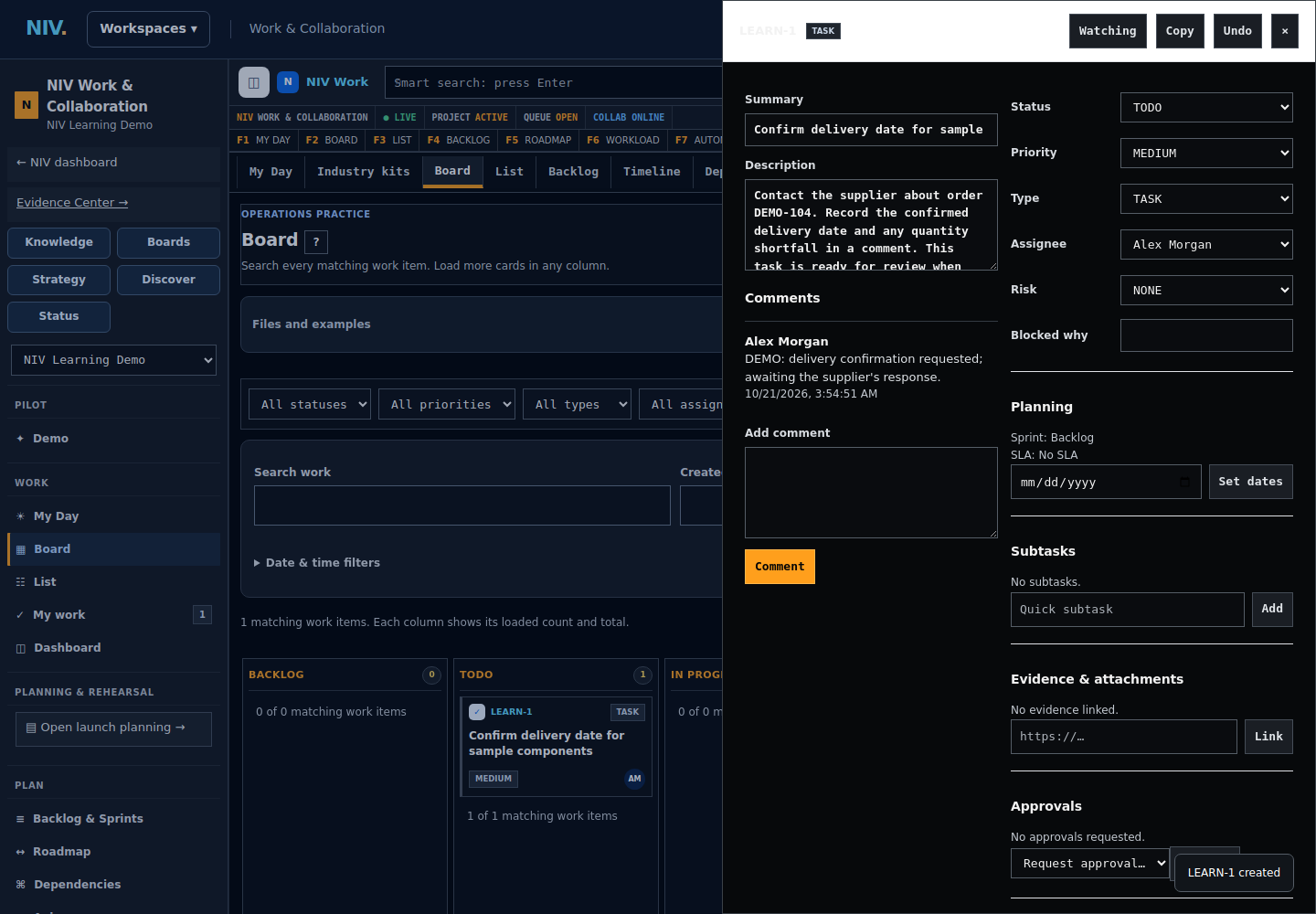
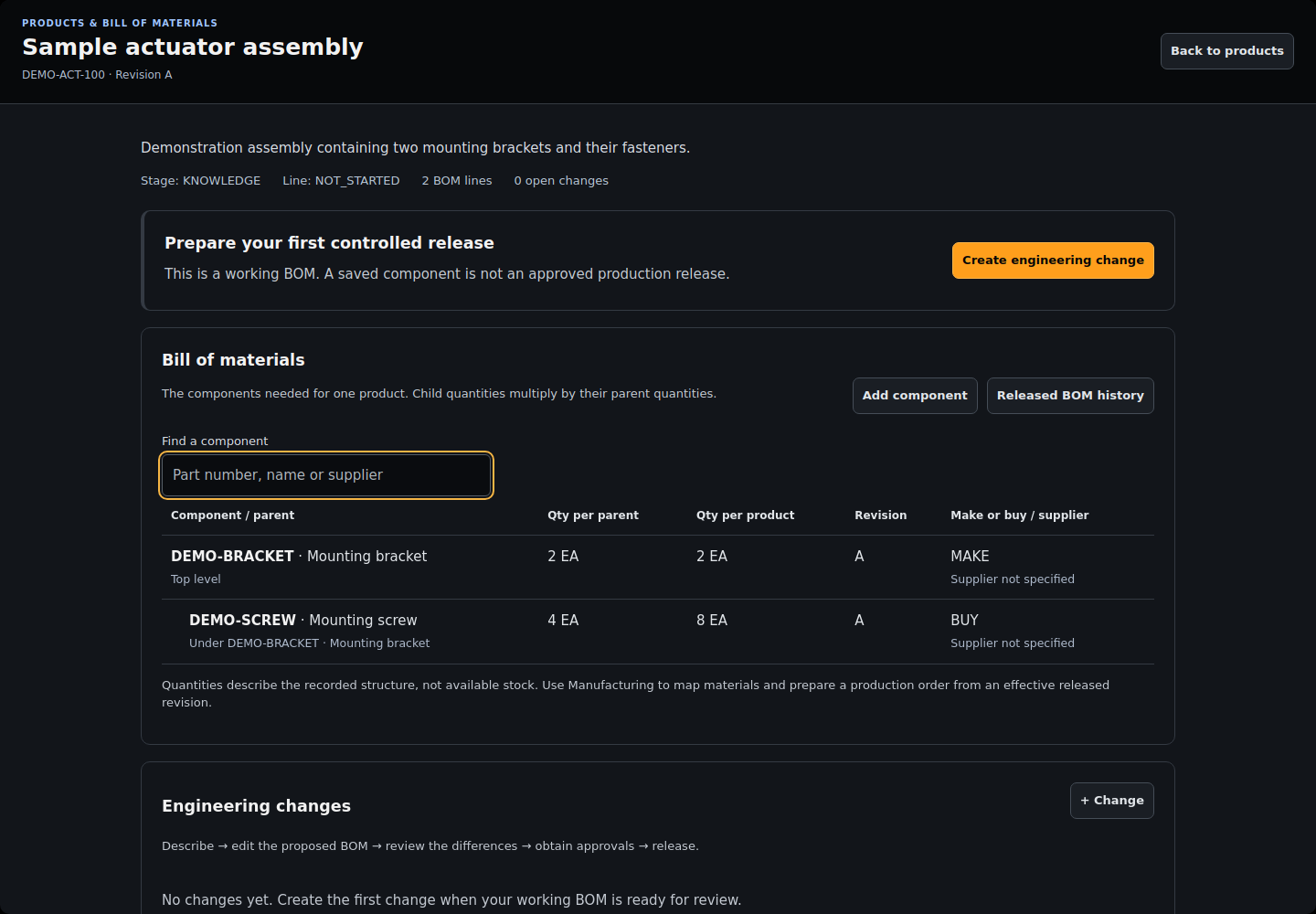
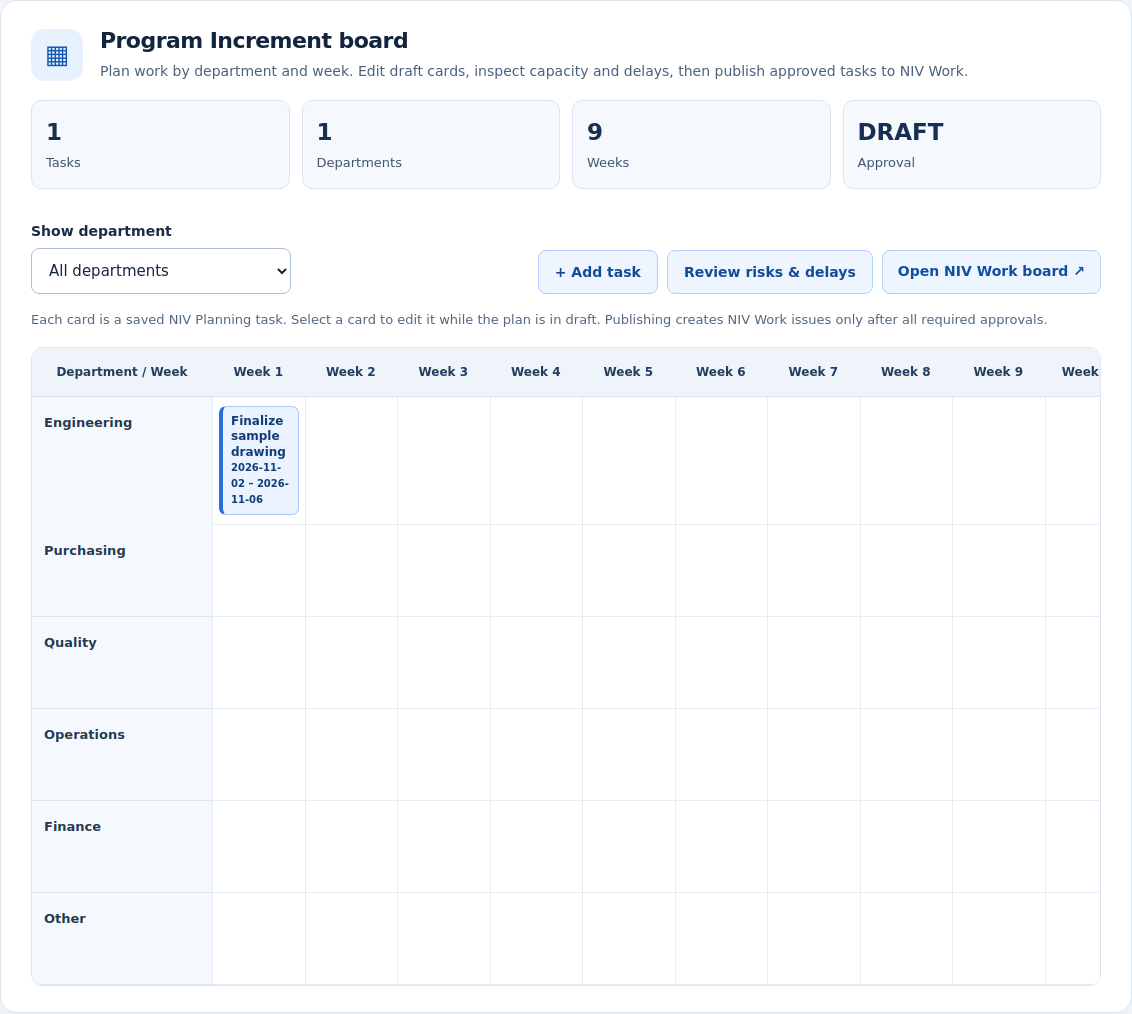
Screenshots show demonstration records, not customer data. The screens available to your team depend on your plan, setup and permissions.
NIV is offered through scoped pilot evaluation. The catalog describes implemented workflows, not a guarantee that every module is enabled, production-validated or included in every customer plan. Confirm the deployed workflow and written scope in a demo.
Manufacturing, engineering and distribution teams. Our initial customer focus is companies with 30–100 employees; fit depends on the actual workflow.
Owners and operations leaders, together with manufacturing, quality, engineering, procurement and finance reviewers.
Bring one workflow, your team size and the systems used today. Confirm modules, integrations, training, pricing and support in writing before purchase.
| Capability | What it does and where its scope ends |
|---|---|
| Task scheduling | Break a task into steps, compare available capacity and review a proposed schedule. Calendar conflicts are entered manually until Microsoft calendar authorization is configured. Proposals do not create Outlook events. |
| Work & tasks | Assign owners and due dates. Track projects, backlogs, sprints, dependencies, approvals and notifications. |
| Planning & Rehearsal | Build launch plans and PI boards, compare scenarios, review capacity and delays, collect department approvals and publish work. Suggestions require review before publication. |
| Visual boards | Organize work on editable boards and follow progress across teams. |
| Goals & strategy | Connect goals, initiatives and portfolio priorities. |
| Ideas & discovery | Capture opportunities and prioritize improvements. |
| Capability | What it does and where its scope ends |
|---|---|
| Product lifecycle | Manage engineering programs, drawings, requirements, changes and stage approvals. |
| Controlled BOM revisions | Review component changes, compare revisions and release an approved product structure. Open a program to manage its BOM. |
| Products & materials | Maintain product records, components, materials and classification context. |
| Operations planning | Plan production jobs, machine capacity, schedules, maintenance and cash scenarios. |
| Manufacturing execution | Release orders from approved BOMs, reserve stock and capacity, follow qualified instructions, record production and rework, and review final inspections. Recorded material and labor costs post to native accounting in USD. |
| Lot & serial traceability | Follow receipts, builds, shipments, holds and affected lots through a traceability record. |
| Capability | What it does and where its scope ends |
|---|---|
| Safety, Risk & Compliance workspace | Find enabled safety tools, verified workspaces and a separately labeled development roadmap. Unavailable capabilities are never shown as live customer features. |
| Safety checklists | Follow existing workplace checks, record proof and obtain independent review. Checklists support your process; they do not determine regulatory compliance. |
| Operational inspections | Review existing operational inspections, findings and verified corrective work. This is the existing operations workflow, not the dedicated EHS suite. |
| Report a problem | Employees report workplace concerns with restricted visibility and accountable follow-up. Emergency response requires direct contact with your site safety team. |
| Capability | What it does and where its scope ends |
|---|---|
| Operations scans | Run checks against available operational records and review suggested improvement actions. Open Add data / scan in Operations. Source coverage depends on your company records. |
| Connected change follow-up | See affected records, route follow-up work, assign owners and track review and closure. |
| Compliance reviews | Track cases, supporting evidence and human approval decisions. Authoritative regulatory checks require configured sources and qualified review. |
| Capability | What it does and where its scope ends |
|---|---|
| Supplier profiles | Review supplier context, documents, purchasing and open issues together. |
| Supplier requests | Request evidence, follow renewals and coordinate responses through supplier workflows. |
| Controlled purchasing | Prepare line orders, obtain independent approval, record partial receipts and supplier returns, and match invoice quantities. Suppliers must satisfy the configured qualification requirements. |
| PO & invoice review | Review purchase orders, receipts, invoice exceptions, duplicates, supported email intake and linked quality holds. Matching scope and source coverage depend on configured records. |
| Finance workspace | Manage invoice and expense records, policies and approval queues. |
| Native accounting | Post balanced journals, manage payables and receivables, record payments and credits, reconcile bank entries, and close accounting periods. USD accounting. Bank transfers and statutory tax filing require separate services. |
| Finance setup | Configure finance review settings and connected workflows. |
| Trade & shipments | Organize shipment, origin, classification and release-review evidence. Live sanctions screening and current tariff calculations require verified external sources. |
| Contracts | Keep contract records, dates and supporting files together. |
| Capability | What it does and where its scope ends |
|---|---|
| SOP Studio | Start with notes, a template, a document or capture. Review revisions and run step-by-step procedures with evidence. Capture needs user permission; operational instructions need competent review. |
| SOP training | Assign published procedures, review training evidence and identify retraining after a revision. Independent training review does not replace practical qualification or production authorization. |
| Knowledge pages | Keep team instructions, decisions and reusable knowledge in one place. |
| Evidence Center | Collect, link and review source documents and evidence requests. |
| Document records | Find operational documents, attach files to related records and review their event history. |
| Ask NIV | Ask questions about available business context and review the supporting information. AI availability depends on configuration. Suggestions are not approvals. |
| Capability | What it does and where its scope ends |
|---|---|
| NIV Trackers | Import Excel or create custom trackers. Customize columns, view charts, assign linked NIV Work tasks, follow their updates and export Excel. Up to 2 MB, 12 worksheets, 100 columns and 5,000 records per sheet; no macros or protected files. |
| Data & integrations | Preview supported imports, connect authorized providers and inspect retrieval status. Provider coverage varies; a connection is not a promise of full synchronization. |
| Company data export | Download company business records and owned attachments with a relationship map and file checksums. Company owner or administrator access is required. Account credentials are excluded. |
| Organization & Team | Manage your own company members, invitations, roles, permissions and onboarding. Visible functionality requires company Owner or Admin authorization. |
| Service requests | Assign internal requests and incidents with owners and review history. |
| Service status | Record service components, incidents and resolution updates. This is record-based status tracking, not automatic uptime monitoring. |
| My account | Review your profile and account settings. |
Demo requests are reviewed by NIV. A submitted inquiry does not reserve a calendar slot.